Abacum · Financial Planning · 2022–2024
From fragmented formulas to a consistent modeling language
Overview
Abacum's modeling layer combined elements from Excel, SQL, and custom syntax. The result was powerful but difficult to learn and inconsistent to use.
This work focused on defining a coherent language for expressing financial logic. The goal was to make formulas easier to read, write, and maintain, without giving up the flexibility complex modeling requires.
The outcome was a consistent, function-based structure. It reduced cognitive load, made formulas more composable, and gave the team a stable base for the UI work that followed.
Context
My role
I identified the inconsistency problem together with the head of design, from direct exposure to how users were struggling during onboarding.
My path through the product gave me an unusual vantage point. I started as the designer for the integrations squad, where formulas first appeared as a way to connect external datasets. When I moved to the engine squad, where the core modeling layer lived, I could see the inconsistencies across both contexts clearly.
From there I owned the research and framing: the competitor benchmark across Excel, Google Sheets, Pigment, and Causal; the synthesis of customer feedback from recorded calls; and the documentation of every inconsistent function in the existing system. That work made the problem clear to the rest of the team and gave us a principled basis for the decisions we made.
The syntax direction came out of a close collaboration with engineers. I'm comfortable working near code, but I deliberately brought in technical judgment to pressure-test the design decisions around parameter structure, naming conventions, and composability rules. The guidelines we produced together became the foundation both teams worked from.
The problem
A powerful system without a clear language
Formulas in Abacum had evolved without a shared set of rules, and over time those local decisions accumulated into something inconsistent and hard to learn.
In practice, this meant:
- Some functions used parentheses, others didn't
- Dataset references sat outside the function in SQL-style clauses like FROM and WHERE in some cases, and inside in others
- Naming conventions mixed underscore-separated words with combined ones
- A user writing formulas across different parts of the product had to hold multiple mental models at once
A recorded call with an enterprise customer captured their team describing months of implementation support just to get comfortable with basic formula writing. A benchmark across Excel, Google Sheets, Pigment, and Causal showed that every competitor placed parameters inside parentheses and avoided underscores in function names. Abacum was the outlier on both counts.
The system wasn't too powerful or too complex, it just had no consistent language, and every new function we added risked making that worse.
Approach
Defining a consistent structure without losing flexibility
We used Excel as our primary reference point because our users already knew it.
Aligning with Excel's conventions wherever we could meant users had less to relearn.
But we couldn't copy Excel directly. Abacum formulas needed to reference things Excel doesn't have: external datasets, dimensions, custom time periods, and cross-dataset joins. For those cases we defined our own conventions, staying as close to Excel's structure as we could.
That produced three concrete changes:
- Move all parameters inside parentheses, consistent with Excel and every major competitor
- Remove underscores from function names, adopting a single capitalised word format
- Bring dataset references inside the function as explicit parameters, replacing SQL-style clauses like FROM and WHERE
We also produced written guidelines, the Abacum Script, so that any new function added in the future would follow the same rules without requiring a design review.
Example
From mixed syntax to a composable modeling language
The same three operations, before and after. The difference is not what they do, but how predictable they are to read and write.
Before the redesign, formulas mixed function-based syntax with SQL-style clauses. Dataset references, filters, and parameters were defined outside the function, making each formula a slightly different pattern to learn.
After the redesign, all formulas follow the same structure. Every parameter sits inside the function, in a defined order, with no external clauses.
Once you understand the pattern for one function, you understand it for all of them. The tradeoff is users coming from SQL find the new syntax less natural at first but, in practice, the consistency reduces the overall learning curve, and complex formulas become easier to read and debug over time.
Solution
A consistent foundation for expressing financial logic
This work produced a consistent language for financial modeling and a set of guidelines to keep it that way as the product grew.
All functions now follow a unified structure. Parameters sit inside parentheses in a defined order, function names follow a single capitalised word format, and dataset references are explicit inputs rather than external clauses. The Abacum Script documented these rules so that new functions could be added without introducing new patterns or requiring case-by-case design decisions.
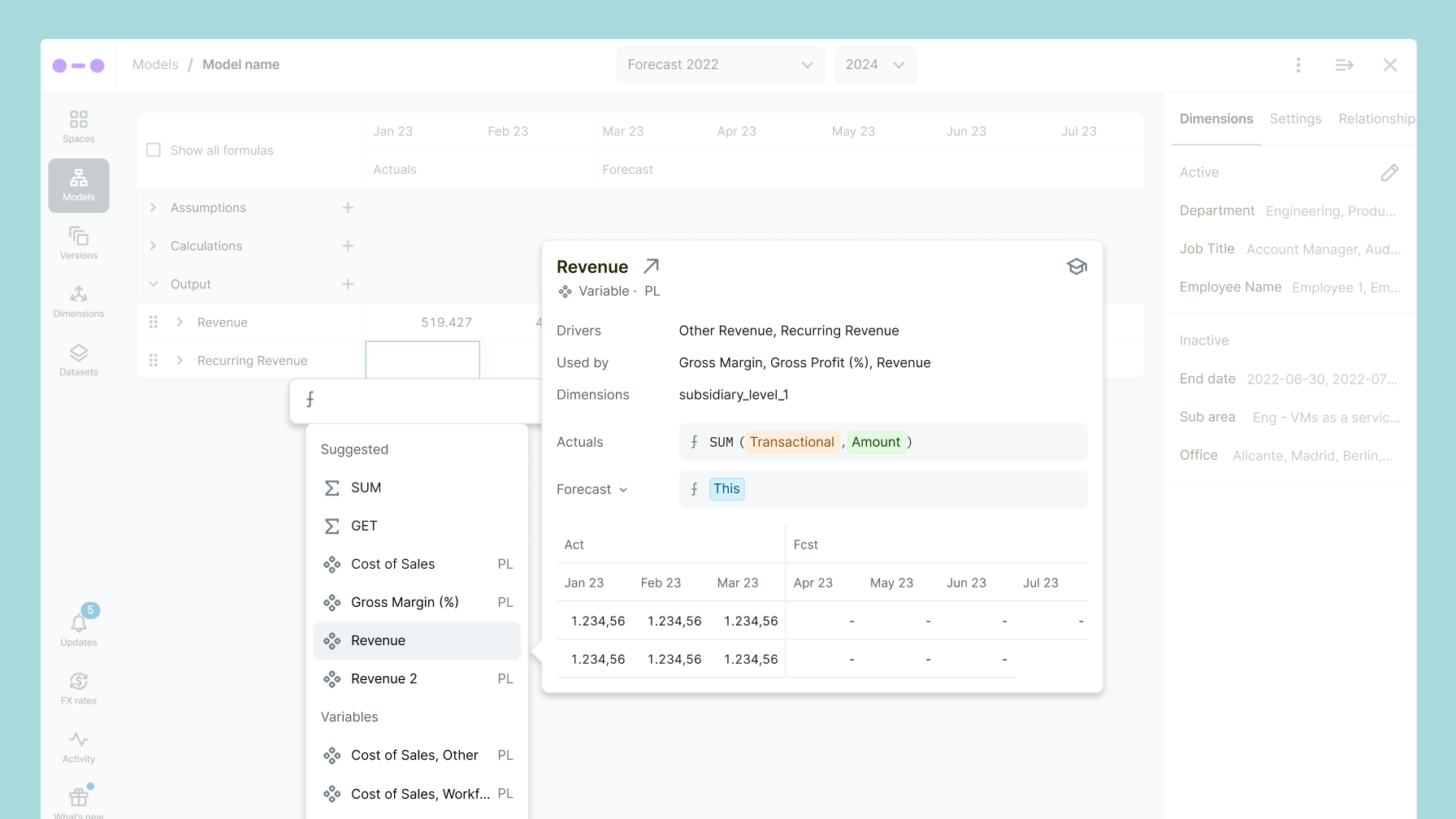
The structural work also created possibilities that didn't exist before. With a predictable parameter structure, parts of a formula could be mapped to interface elements: inputs, previews, type-aware suggestions. That made a follow-on project possible: contextual suggestions directly in the formula editor.
That second project wouldn't have been possible without a stable syntax underneath it.
Outcomes
The clearest measure of success was a quieter support channel and faster onboarding. The signal was consistent across customers and the CS team.
The most direct evidence came from an enterprise customer call recorded before the redesign. Their team described spending several months with the implementation team just to get comfortable writing formulas. They said they wished it felt more like Excel.
That matched what the CS team was seeing. Users were getting stuck on basic modeling tasks. The logic wasn't the problem; the syntax was unpredictable.
After the redesign, that changed. New users were reaching their first useful formula in days rather than weeks, and formula-related support requests dropped over the following quarters. The contextual suggestions in the editor let users find the right parameters as they typed, instead of stopping to check documentation or ask someone.
Internally, the standardized structure also cut the risk of new inconsistencies. Adding a new function no longer required judgment calls about syntax style, the guidelines had already made those decisions.